
Framework Desktop DIY Edition vs MINISFORUM MS-S1 Max
Check current prices
As an Amazon Associate I earn from qualifying purchases.
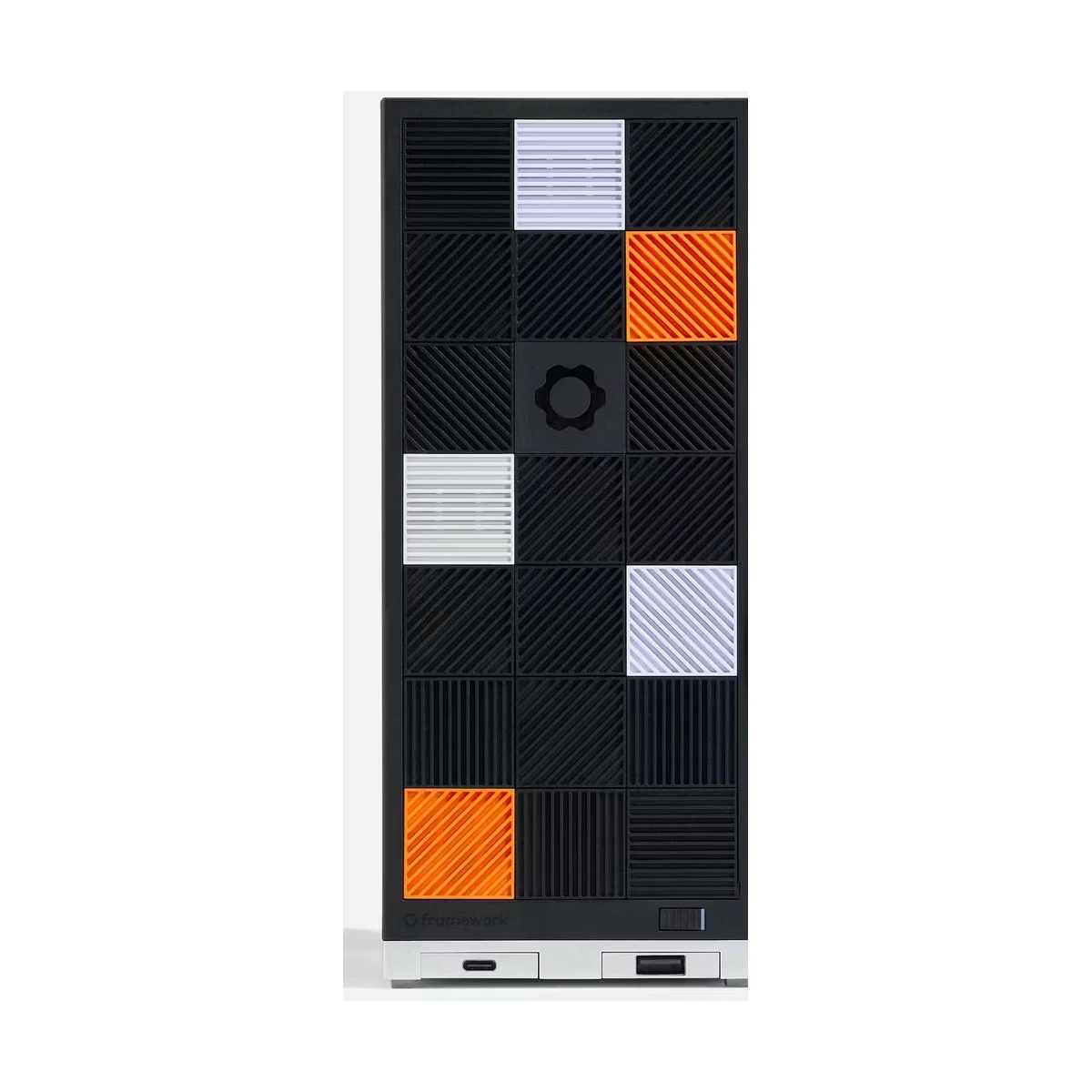
Framework Desktop DIY Edition
DIY Edition, Ryzen AI Max+ 395, 128GB LPDDR5X, no storage, no operating system
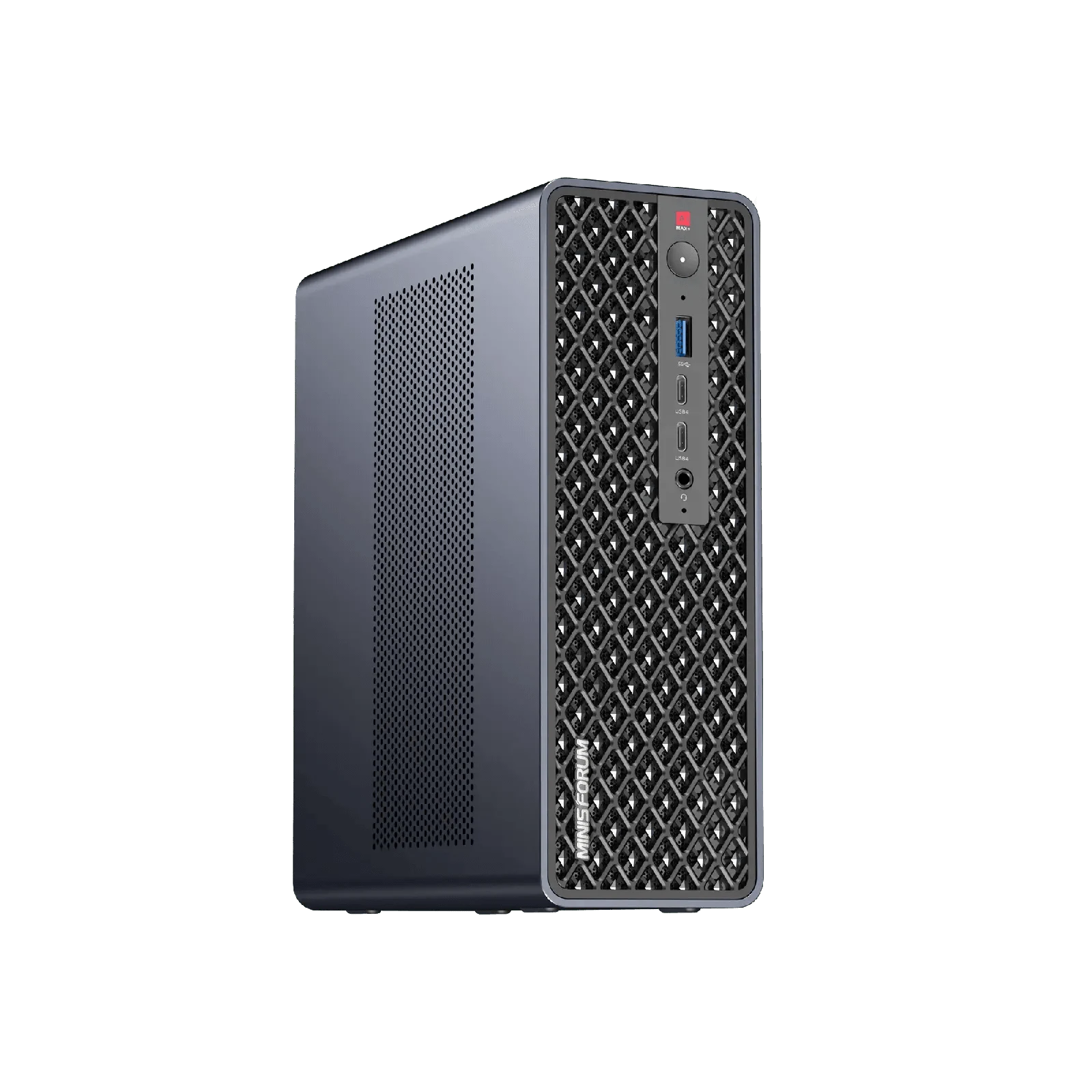
MINISFORUM MS-S1 Max
Ryzen AI Max+ 395, 128GB RAM, 2TB SSD, US
Amazon results may include other models. Verify the processor, memory, storage, and seller before buying.
| Memory | ||
|---|---|---|
| Storage |
1Is it fast for normal work?
Framework Desktop DIY Edition
-
Geekbench 6 single-core 2876 points
Level1Techs measured 2,876 in Geekbench 6 single-core on Framework's 128GB review unit.
Geekbench 6 single-core · Ryzen AI Max+ 395; 128GB LPDDR5X; reviewer-installed storage and operating system
Level1Techs · 32:26 -
Cinebench 2024 single-core Not available
MINISFORUM MS-S1 Max
-
Geekbench 6 single-core Not available
-
Cinebench 2024 single-core 110 points
Jim's Garage measured 110 in Cinebench 2024 single-core on its exact 128GB review unit.
Cinebench 2024 single-core · Ryzen AI Max+ 395; 128GB/2TB review unit
Jim's Garage · 13:52
2Can it handle sustained work?
Framework Desktop DIY Edition
-
Geekbench 6 multi-core 16987 points
Level1Techs measured 16,987 in Geekbench 6 multi-core on the same 128GB review unit.
Geekbench 6 multi-core · Ryzen AI Max+ 395; 128GB LPDDR5X; reviewer-installed storage and operating system
Level1Techs · 32:26 -
Cinebench R23 multi-core 35000 points
Salem Techsperts reported about 35,000 points in Cinebench R23 multi-core on its 128GB press sample.
Cinebench R23 multi-core · Ryzen AI Max+ 395; 128GB LPDDR5X; Windows 11 Pro; single run shown in the review
Salem Techsperts · 20:29 -
Cinebench 2024 multi-core Not available
-
Qwen3 235B local inference Not available
MINISFORUM MS-S1 Max
-
Geekbench 6 multi-core Not available
-
Cinebench R23 multi-core 37062 points
Level1Techs measured 37,062 in Cinebench R23 multi-core on the MS-S1 Max.
Cinebench R23 multi-core · Ryzen AI Max+ 395; 128GB review system
Level1Techs · 14:22 -
Cinebench 2024 multi-core 1886 points
Tech Notice measured 1,808 in Balanced mode and 1,886 after switching the same exact-config review system to Performance mode.
Cinebench 2024 multi-core · Performance BIOS mode; exact 128GB/2TB review unit
Tech Notice · 15:50 -
Qwen3 235B local inference 13.73 tokens/s
Jim's Garage reported 13.73 tokens per second for Qwen3 235B A22B Instruct Q3_K_XL under Ubuntu, with about 102GB of unified memory in use.
Qwen3 235B A22B Instruct 2507 Q3_K_XL local inference · Ubuntu bare metal; 1GB fixed graphics allocation; Performance BIOS mode; exact 128GB review unit
Jim's Garage · 22:13
3Can it game?
Framework Desktop DIY Edition
-
Cyberpunk 2077 on Bazzite 78.44 fps
Salem Techsperts measured a 78.44 FPS average in Cyberpunk 2077 on Bazzite at 1440p high with FSR 3 Balanced.
Cyberpunk 2077 built-in benchmark · 1440p high; FSR 3 Balanced; Bazzite; 128GB review sample
Salem Techsperts · 16:56 -
Cyberpunk 2077 on Windows 92.71 fps
The same reviewer measured a 92.71 FPS average after installing Windows 11 with the otherwise matching settings.
Cyberpunk 2077 built-in benchmark · 1440p high; FSR 3 Balanced; Windows 11; 128GB review sample
Salem Techsperts · 17:14 -
Final Fantasy XIV: Dawntrail Not available
-
Cyberpunk 2077 Not available
-
Kingdom Come: Deliverance II Not available
MINISFORUM MS-S1 Max
-
Cyberpunk 2077 on Bazzite Not available
-
Cyberpunk 2077 on Windows Not available
-
Final Fantasy XIV: Dawntrail 68 fps
Level1Techs measured 68 FPS at 1440p High in the Final Fantasy XIV: Dawntrail benchmark.
Final Fantasy XIV: Dawntrail benchmark · 1440p High preset; Radeon 8060S; exact 128GB review system
Level1Techs · 10:00 -
Cyberpunk 2077 67 fps
RandomGaminginHD measured 67 FPS in Cyberpunk 2077 at 1080p using the High preset with no upscaling.
Cyberpunk 2077 gameplay · 1080p High; no upscaling; Performance mode at 130W; Radeon 8060S
RandomGaminginHD · 7:00 -
Kingdom Come: Deliverance II 90 fps
RandomGaminginHD measured 90 FPS in Kingdom Come: Deliverance II at 1080p High using SMAA 2TX.
Kingdom Come: Deliverance II gameplay · 1080p High; SMAA 2TX; Radeon 8060S
RandomGaminginHD · 9:58
4Is it loud or hot?
Framework Desktop DIY Edition
-
Cyberpunk peak temperature 60 C
Salem Techsperts reported that the APU stayed at or below 60 C during its 1440p Cyberpunk test.
Cyberpunk 2077 gaming · 1440p high; FSR 3 Balanced; Bazzite; reviewer-selected 120mm fan; reported ceiling rather than an instrumented average
Salem Techsperts · 17:05 -
Fan behavior Quiet in the reviewer's room
Salem Techsperts said its selected 120mm fan was often stopped or inaudible in lighter use and was difficult to hear during gaming. Noise was not measured with a sound meter.
Subjective fan-noise assessment · 128GB press sample; reviewer-selected fan; measurement distance and ambient floor not reported
Salem Techsperts · 18:35 -
Maximum observed CPU temperature Not available
-
Load sound level Not available
MINISFORUM MS-S1 Max
-
Cyberpunk peak temperature Not available
-
Fan behavior Not available
-
Maximum observed CPU temperature 63 C
Jim's Garage observed no more than 63 C during its Cinebench run, while Tech Notice independently saw 64 C before changing from Balanced to Performance mode.
Cinebench 2024 multi-core · Exact 128GB review unit; Jim's Garage test mode was not stated in the narration
Jim's Garage · 14:06 -
Load sound level 43 dBA
ServeTheHome measured about 42 to 43 dBA at one meter while the system drew about 120W and said it was clearly audible rather than silent.
Sustained local-AI workload · One-meter distance; exact 128GB review system; room floor not stated in the narration
ServeTheHome · 10:53
5How much electricity does it use?
Framework Desktop DIY Edition
-
Cyberpunk system power 100 W
Salem Techsperts reported about 100 W of system power during its Bazzite Cyberpunk test, but did not fully document the measurement point.
Cyberpunk 2077 gaming · 1440p high; FSR 3 Balanced; Bazzite; 128GB review sample; wall-versus-telemetry method not specified
Salem Techsperts · 17:05 -
Idle wall power Not available
-
Cinebench wall power Not available
MINISFORUM MS-S1 Max
-
Cyberpunk system power Not available
-
Idle wall power 12 W
ServeTheHome observed a 9 to 12 W idle range in Windows. Jim's Garage independently observed 7 to 10 W at idle on its exact-config unit.
Windows idle · Observed range 9-12 W; exact 128GB review system
ServeTheHome · 10:32 -
Cinebench wall power 130 W
Jim's Garage saw about 130 W at the wall through most of its Cinebench run, with brief spikes up to 150 W.
Cinebench 2024 multi-core · Exact 128GB review unit; brief observed spikes to 150 W
Jim's Garage · 14:12
6Can I upgrade and connect everything?
Framework Desktop DIY Edition
-
Memory is upgradeable No
-
Storage is upgradeable Yes
-
Thunderbolt is present No
-
Standard parts and expansion 2x M.2; standard board, PSU, and fan formats
Framework uses a standard Mini-ITX board footprint, FlexATX power supply, 120mm CPU fan mount, two M.2 2280 slots, and two front Expansion Card bays. The CPU and memory remain soldered.
Manufacturer expansion check · Framework Desktop DIY Edition
Framework -
Reviewer storage-expansion check Two onboard M.2; third via PCIe adapter
Salem Techsperts verified one M.2 slot on each side of the motherboard and demonstrated that the PCIe 4.0 x4 slot can host an inexpensive NVMe adapter for a third drive.
Hands-on teardown and expansion check · Ryzen AI Max+ 395, Radeon 8060S, 128GB LPDDR5X, reviewer-installed storage
Salem Techsperts · 9:44 -
High-speed I/O Not available
-
Linux 10GbE support Not available
-
Expansion limits Not available
MINISFORUM MS-S1 Max
-
Memory is upgradeable No
-
Storage is upgradeable Yes
-
Thunderbolt is present No
-
Standard parts and expansion Not available
-
Reviewer storage-expansion check Not available
-
High-speed I/O 4x USB4 and 2x 10GbE
The chassis provides two front 40Gbps USB4 ports, two rear 80Gbps USB4 v2 ports, and two Realtek RTL8127 10GbE controllers. The internal 320W power supply avoids an external brick.
Manufacturer specification and hands-on port inspection · MS-S1 Max chassis
MINISFORUM -
Linux 10GbE support Driver work required
Jim's Garage could not use the two RTL8127 10GbE ports out of the box under Debian 13 or Proxmox and obtained only 5Gbps after adding a driver manually. Wi-Fi 7 worked in the same Linux testing.
Debian 13 and Proxmox network detection and throughput testing · Exact 128GB/2TB review unit; software state in September 2025
Jim's Garage · 1:58 -
Expansion limits PCIe 4.0 x4, no 75W GPU power
Level1Techs verified that the physical x16 slot is electrically PCIe 4.0 x4, is closed-ended, and cannot supply 75W. Tech Notice likewise found that it is suitable for networking or storage expansion rather than a conventional graphics card.
Hands-on chassis and slot inspection · MS-S1 Max chassis
Level1Techs · 11:35
7Is it good value?
Framework Desktop DIY Edition
-
Current DIY system price $3,449 before required build selections
Framework listed the Max+ 395 with 128GB of fixed memory for $3,449 when checked. That selection includes no storage or operating system; a fan, power cable, and 21 front tiles must also be selected or supplied by the buyer.
Manufacturer configurator price check · Max+ 395 - 128GB system selection; no storage; no OS
Framework -
Reviewer value assessment Premium, but competitive for local AI
Salem Techsperts characterized the price as an early-adopter premium but still considered the system one of the more affordable effective consumer options for running large language models locally.
Review-date local-AI value assessment · Ryzen AI Max+ 395, Radeon 8060S, 128GB LPDDR5X, reviewer-installed storage
Salem Techsperts · 23:33 -
Manufacturer price Not available
-
Verified Amazon configuration Not available
-
Reviewer purchase assessment Not available
MINISFORUM MS-S1 Max
-
Current DIY system price Not available
-
Reviewer value assessment Not available
-
Manufacturer price $3,719
MINISFORUM listed the exact 128GB/2TB US configuration for $3,719 when checked, against a $4,649 compare-at price.
Manufacturer retail-price check · MS-S1-MAX12US; Ryzen AI Max+ 395; 128GB RAM; 2TB SSD; Windows 11 Pro
MINISFORUM -
Verified Amazon configuration B0G348H88N
Amazon ASIN B0G348H88N matched the exact Ryzen AI Max+ 395, 128GB RAM, and 2TB SSD configuration when checked.
Retailer identity check · MS-S1 Max 128GB/2TB
MINISFORUM -
Reviewer purchase assessment Preferred despite premium pricing
ServeTheHome said the MS-S1 Max was not the cheapest system in its class, but still called it the reviewer's preferred Ryzen AI Max+ 395 system among the compared units because of its overall feature mix.
Review-date comparative purchase assessment · Ryzen AI Max+ 395, 128GB unified memory, 2TB SSD review system
ServeTheHome · 16:32
8Will it be dependable?
Framework Desktop DIY Edition
-
Limited warranty 1 year included
Framework includes a one-year limited warranty with the DIY configuration and offers a paid three-year option in its configurator.
Manufacturer warranty check · US DIY configuration
Framework -
Replaceable components Modular except CPU and memory
Salem Techsperts found the internal components clearly labeled and the storage, fan, power supply, case parts, and mainboard accessible, while emphasizing that the processor and memory cannot be replaced separately from the board.
Hands-on teardown · 128GB press sample
Salem Techsperts · 3:57 -
Seller warranty Not available
-
Cooling and acoustics Not available
-
Operating-system caveat Not available
MINISFORUM MS-S1 Max
-
Limited warranty Not available
-
Replaceable components Not available
-
Seller warranty 3 years
MINISFORUM advertises a three-year seller warranty and 30-day returns on the US store page.
Manufacturer warranty-policy check
MINISFORUM -
Cooling and acoustics Cool but audible
Independent testing found low-60s C temperatures in Cinebench, but ServeTheHome still measured 42 to 43 dBA at one meter around 120W. The cooling system controls temperature without being silent under sustained load.
Sustained CPU and local-AI workloads · Exact 128GB review systems
ServeTheHome · 10:32 -
Operating-system caveat Linux NIC caveat
The current Windows configuration was stable in the retained reviews, but Jim's Garage documented immature RTL8127 support under Debian 13 and Proxmox. Linux buyers should verify current driver support for the dual 10GbE controllers.
Windows, Debian 13, and Proxmox hands-on testing · Exact 128GB/2TB review unit
Jim's Garage · 16:53
References
-
Framework. Framework Desktop. Product page. . Accessed .
Configuration: Framework Desktop with Ryzen AI Max+ 395 and 128GB LPDDR5X-8000
Disclosure: Manufacturer product overview and specifications.
-
Framework. Configure Framework Desktop DIY Edition (AMD Ryzen AI Max 300 Series). Product page. Accessed .
Configuration: Max+ 395 - 128GB; no primary storage; no secondary storage; no operating system
Disclosure: Manufacturer configuration options, current price, availability, and warranty selection.
-
Level1Techs. Framework Desktop Tested: 128gb AI Max+ for Gaming, AI and More. Video review. . Accessed .
Configuration: Ryzen AI Max+ 395, Radeon 8060S, 128GB LPDDR5X, reviewer-installed storage and operating systems
Disclosure: The reviewer says Framework sent the early sample. No product-specific sponsorship or affiliate disclosure was found in the description.
-
Salem Techsperts. Framework Desktop Teardown and Review: A Powerful, Efficient, AI Gaming PC That's Worth Every Penny. Video review. . Accessed .
Configuration: Ryzen AI Max+ 395, Radeon 8060S, 128GB LPDDR5X, reviewer-installed storage, Bazzite and Windows 11 Pro
Disclosure: The description states Framework supplied the press kit; the reviewer says the sample had to be returned and Framework did not pay for the review. The description links an Amazon storefront.
-
MINISFORUM. MINISFORUM MS-S1 Max 128GB Max AI Compute Edition. Product page. . Accessed .
Configuration: MS-S1-MAX12US: Ryzen AI Max+ 395, 128GB LPDDR5X-8000, 2TB SSD, Windows 11 Pro, US power cable
Disclosure: Manufacturer specifications, current price, availability, warranty, and return terms.
-
ServeTheHome. The BEST AMD Strix Halo Mini PC Minisforum MS S1 Max. Video review. . Accessed .
Configuration: Ryzen AI Max+ 395, 128GB unified memory, 2TB SSD review system
Disclosure: The description contains an Amazon affiliate link and does not state how the review unit was obtained.
-
Level1Techs. Minisforum MS S1 Max AI Review, Benchmarks, and Comfy UI Setup Guide. Video review. . Accessed .
Configuration: Ryzen AI Max+ 395, 128GB unified memory MS-S1 Max review system; installed SSD capacity not stated in narration
Disclosure: The description does not state how the review unit was obtained and does not contain a retailer affiliate disclosure.
-
Tech Notice. NOTHING is better than THIS ... AMD is too good! | Minisforum MS-S1 MAX review. Video review. . Accessed .
Configuration: Ryzen AI Max+ 395, 128GB unified memory, 2TB SSD review system
Disclosure: The description contains product and software affiliate links and does not state how the review unit was obtained.
-
Jim's Garage. Running LLMs Locally - MinisForum MS-S1 MAX Review. Video review. . Accessed .
Configuration: Ryzen AI Max+ 395, 128GB unified memory, 2TB SSD review system
Disclosure: The reviewer says in the narration that the device was sent free; the description links MINISFORUM without an affiliate disclosure.
-
RandomGaminginHD. The Fastest Integrated Graphics Yet - The Radeon 8060S (ft. Minisforum MS-S1 MAX). Video review. . Accessed .
Configuration: Ryzen AI Max+ 395, Radeon 8060S, 128GB LPDDR5X-8000, 2TB SSD review system
Disclosure: The description links the tested system but does not state how the unit was obtained or include an affiliate disclosure.
Value for money
No value comparison is available. It requires eligible test scores and at least four current price observations in seven days.
Specification differences
Differences supported by the listed manufacturer specifications
Higher listed specifications for Framework Desktop DIY Edition
- Has a manufacturer list price about $1,200 lower
Higher listed specifications for MINISFORUM MS-S1 Max
- Uses a smaller 3.53 liter enclosure
Verified specifications
Manufacturer-sourced specifications and current testing status
Processor
| Specification | Desktop DIY Edition | MS-S1 Max |
|---|---|---|
| CPU | AMD Ryzen AI Max+ 395 | AMD Ryzen AI Max+ 395 |
| Cores / threads | 16 / 32 | 16 / 32 |
| Processor default TDP | Not disclosed | 130 W |
| Integrated graphics | AMD Radeon 8060S integrated graphics, 40 compute units up to 2.9GHz | AMD Radeon 8060S integrated graphics, 40 compute units |
Memory and storage
| Specification | Desktop DIY Edition | MS-S1 Max |
|---|---|---|
| Memory type | LPDDR5X-8000 onboard | LPDDR5X-8000 unified memory |
| Maximum memory | 128 GB | 128 GB |
| Upgradeable memory | No | No |
| Storage slots | 2 | 2 |
Connectivity
| Specification | Desktop DIY Edition | MS-S1 Max |
|---|---|---|
| Ethernet | 5GbE | 2x 10GbE RJ45 (Realtek RTL8127) |
| Wireless | Wi-Fi 7 | Wi-Fi 7 + Bluetooth 5.4 |
| USB4 | Yes | Yes |
| Thunderbolt | No | No |
Size and price
| Specification | Desktop DIY Edition | MS-S1 Max |
|---|---|---|
| Enclosure volume | 4.5 liters | 3.53 liters |
| List price | $3,449 | $4,649 |
| Product class | Repairable local-AI workstation | Local AI and high-speed networking |