
GEEKOM A6 vs GMKtec NucBox K15
Check current prices
As an Amazon Associate I earn from qualifying purchases.
GEEKOM A6
Ryzen 7 6800H / 32GB DDR5 / 1TB PCIe 4.0 SSD / Windows 11 Pro / standard silver chassis / US market
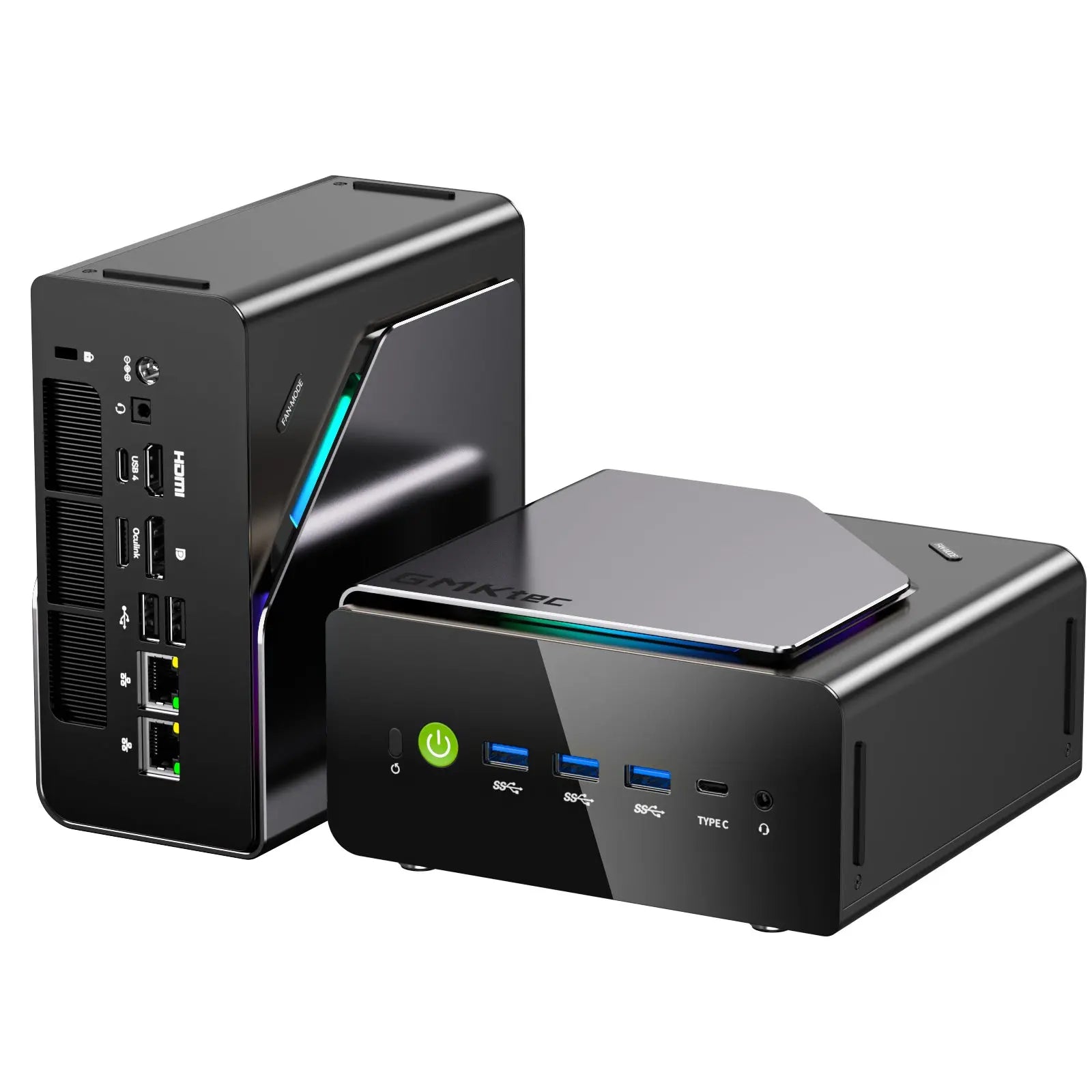
GMKtec NucBox K15
Core Ultra 5 125U / 32GB DDR5 / 1TB SSD / Windows 11 Pro / metallic gray and black / US plug
Amazon results may include other models. Verify the processor, memory, storage, and seller before buying.
| Memory | ||
|---|---|---|
| Storage |
1Is it fast for normal work?
GEEKOM A6
Not available
GMKtec NucBox K15
Not available
2Can it handle sustained work?
GEEKOM A6
Not available
GMKtec NucBox K15
Not available
3Can it game?
GEEKOM A6
Not available
GMKtec NucBox K15
Not available
4Is it loud or hot?
GEEKOM A6
-
Fan noise
Robtech described the A6’s fan noise as being on the high side during his cooling checks. His review covers default and performance modes; this observation is not a normalized noise score.
Robtech · 7:49
GMKtec NucBox K15
-
Fan noise Not available
5How much electricity does it use?
GEEKOM A6
Not available
GMKtec NucBox K15
Not available
6Can I upgrade and connect everything?
GEEKOM A6
-
Memory is upgradeable Yes
-
Storage is upgradeable Yes
-
Antenna lead during disassembly
In Depth Tech Reviews accidentally detached the thin antenna lead while opening his A6 and described reconnecting it as difficult. Take care with the lead between the bottom cover and motherboard.
In Depth Tech Reviews · 4:08 -
Opening the case requires care around the fan cable Not available
GMKtec NucBox K15
-
Memory is upgradeable Yes
-
Storage is upgradeable Yes
-
Antenna lead during disassembly Not available
-
Opening the case requires care around the fan cable
Team Pandory demonstrated removing the feet, metal cover and case screws to reach the replaceable memory and SSDs. The upper fan remains connected to the mainboard as the case opens, so the cable needs care during access.
Team Pandory · 12:02
7Is it good value?
GEEKOM A6
Not available
GMKtec NucBox K15
Not available
8Will it be dependable?
GEEKOM A6
-
Ubuntu detected the main devices Not available
-
Batocera 42 connected to Wi-Fi and a controller Not available
GMKtec NucBox K15
-
Ubuntu detected the main devices
Lon.TV reported working video, audio, Bluetooth, networking and Wi-Fi during an Ubuntu test on his 32GB/1TB K15. The distribution version was not specified, so this does not establish compatibility with every Linux release.
Lon.TV · 9:02 -
Batocera 42 connected to Wi-Fi and a controller
Team Pandory reported that Batocera 42 booted and connected to Wi-Fi and a Bluetooth controller on his 48GB/1TB K15. This is a basic compatibility check on that configuration.
Team Pandory · 9:44
References
-
GEEKOM. A6 specifications and retail configurations. Product page. Accessed .
Configuration: Ryzen 7 6800H / 32GB DDR5 / 1TB PCIe 4.0 SSD / Windows 11 Pro / standard silver chassis / US market
Disclosure: Manufacturer specifications; no MiniPCBench measurements.
-
Robtech. Premium Features under $500....Is It Enough? GEEKOM A6 Mini PC Review. Video review. . Accessed .
Configuration: Ryzen 7 6800H / 32GB RAM / 1TB SSD; default and performance modes; firmware unverified
Disclosure: Free review sample and affiliate links disclosed.
-
In Depth Tech Reviews. I Didn’t Expect This… Geekom A6 Mini PC Full Review. Video review. . Accessed .
Configuration: Ryzen 7 6800H / 32GB DDR5-4800 / 1TB; regional configuration and firmware differ or remain unverified
Disclosure: Product discount and affiliate links disclosed; unit acquisition unverified.
-
GMKtec. NucBox K15 specifications and US configuration. Product page. Accessed .
Configuration: Core Ultra 5 125U / 32GB DDR5 / 1TB SSD / Windows 11 Pro / metallic gray and black / US plug
Disclosure: Manufacturer specifications; no MiniPCBench measurements.
-
Lon.TV. GMKTec K15 Mini PC Review - The "Toyota Camry" Mini PC With Plenty of Upgrade Options. Video review. . Accessed .
Configuration: Core Ultra 5 125U / 32GB DDR5-4800 / 1TB NVMe SSD. Windows edition and firmware version unconfirmed; Ubuntu version unspecified. Performance mode used.
Disclosure: Free review unit and affiliate links disclosed; no other payment for coverage.
-
Team Pandory. This Mini PC Runs Shockingly Cool and Quiet [GMKTEC K15 Review]. Video review. . Accessed .
Configuration: Core Ultra 5 125U / 48GB DDR5-4800 / 1TB NVMe SSD / Windows 11 Pro; Batocera 42 also tested. Firmware version unconfirmed.
Disclosure: Free review unit and affiliate links disclosed; no other payment for coverage.
Value for money
No value comparison is available. It requires eligible test scores and at least four current price observations in seven days.
Specification differences
Differences supported by the listed manufacturer specifications
Higher listed specifications for GEEKOM A6
Higher listed specifications for GMKtec NucBox K15
- Supports 32 GB more memory
- Provides 3 storage slots versus
Verified specifications
Manufacturer-sourced specifications and current testing status
Processor
| Specification | A6 | NucBox K15 |
|---|---|---|
| CPU | AMD Ryzen 7 6800H | Intel Core Ultra 5 125U |
| Cores / threads | 8 / 16 | 12 / 14 |
| Processor default TDP | Not disclosed | Not disclosed |
| Integrated graphics | AMD Radeon 680M | Intel Graphics |
Memory and storage
| Specification | A6 | NucBox K15 |
|---|---|---|
| Memory type | DDR5 SO-DIMM | DDR5 SO-DIMM; up to 5600 MT/s supported |
| Maximum memory | 64 GB | 96 GB |
| Upgradeable memory | Yes | Yes |
| Storage slots | 3 |
Connectivity
| Specification | A6 | NucBox K15 |
|---|---|---|
| Ethernet | 1 × 2.5GbE | 2 x 2.5GbE, Realtek RTL8125BG |
| Wireless | Wi-Fi 6E; Bluetooth version unconfirmed | MediaTek RZ616 / MT7922 Wi-Fi 6E and Bluetooth 5.2 |
| USB4 | Yes | Yes |
| Thunderbolt | Not published | Not published |
Size and price
| Specification | A6 | NucBox K15 |
|---|---|---|
| Enclosure volume | Not published | Not published |
| List price | Not published | Not published |
| Product class | Not assigned | Not assigned |